
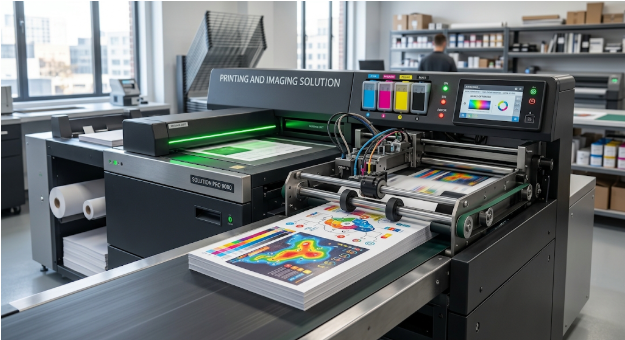
Beyond Printing: How Advanced Imaging Solutions Are Reshaping Business Efficiency and Digital Workflows
Introduction
In today’s fast-paced business environment, organizations need more than traditional printers and photocopiers to manage their daily document requirements. They need reliable technologies that help them create, scan, store, share, and manage information efficiently. As workplaces become increasingly digital, modern printing and imaging solutions are helping businesses improve productivity, reduce unnecessary expenses, and simplify document-related tasks.
From small offices and educational institutions to healthcare providers and large enterprises, printing and imaging technologies remain an important part of everyday operations. However, their role has evolved significantly. Businesses now expect their document systems to integrate with digital platforms, support remote collaboration, protect sensitive information, and reduce manual work.
Advanced printing and imaging solutions address these requirements by combining multifunction printers, document scanners, intelligent software, and secure digital workflows. When implemented correctly, these technologies can help organizations operate more efficiently while creating a smoother experience for employees and customers.
This article explores how modern printing and imaging technologies are transforming business operations, the benefits they offer, and the factors organizations should consider when selecting the right solutions.
1. Understanding Modern Printing and Imaging Solutions
Printing and imaging solutions include the hardware, software, and services businesses use to produce, capture, process, and manage documents. Traditional printing focuses primarily on producing physical copies, while modern imaging technologies also support the conversion of paper documents into searchable digital information.
These solutions can include multifunction printers, high-speed scanners, document management platforms, print management software, and cloud-connected devices. Many systems combine several functions in one platform, allowing employees to print, copy, scan, and share documents without switching between separate machines.
For example, a company can scan a signed contract, convert it into a searchable PDF, and send it directly to an authorized digital folder. This process reduces manual handling and makes the document easier to retrieve later.
By bringing physical and digital document processes together, modern printing and imaging technologies help organizations create more organized and productive workplaces.
2. Improving Workplace Productivity Through Automation
Time is a valuable business resource. When employees spend too much time printing documents, searching for files, or manually entering information, they have less time to focus on important responsibilities.
Advanced imaging systems can automate several routine tasks. Employees may be able to scan documents directly to email, cloud storage, shared folders, or business applications. Optical character recognition (OCR) can also convert scanned text into searchable content, making information easier to locate.
Consider an accounting department that processes hundreds of invoices every month. Instead of scanning each invoice, renaming the file, and manually organizing it, employees can use configured workflows to route documents into the appropriate folders for review.
Automation does not eliminate the need for human oversight. However, it can reduce repetitive work, minimize avoidable errors, and help teams complete document-related tasks more consistently.
3. Connecting Printing With Digital Workflows
Modern businesses often use multiple applications to manage customer information, financial records, internal communication, and project documents. When printing and imaging systems operate separately from these platforms, employees may need to transfer files manually between different systems.
Integrated imaging solutions help bridge this gap. Depending on the equipment and software, scanned documents can be routed to document management platforms, customer relationship management systems, enterprise resource planning applications, and cloud storage services.
This integration creates a more connected workflow. For example, a sales team can digitize signed agreements and store them alongside the relevant customer records. Authorized employees can then access the documents without searching through physical filing cabinets.
A connected workflow also improves consistency because documents can follow predefined naming conventions, approval procedures, and storage rules.
Before choosing an integrated system, businesses should verify compatibility with their existing applications, user permissions, and document retention requirements.
4. Strengthening Document Security and Confidentiality
Document security is an important consideration for every organization. Printed reports, financial statements, employee records, and customer information can create risks when they are accessible to unauthorized individuals.
Modern printing and imaging solutions can include security features such as user authentication, secure print release, access permissions, encrypted communication, and activity logging. These capabilities help organizations control who can access devices and sensitive documents.
For instance, secure print release allows an employee to authenticate at a printer before collecting a document. This reduces the likelihood of confidential papers being left unattended in an output tray.
Digital imaging workflows can also apply access controls to scanned files, ensuring that only authorized users can view or modify them.
However, security depends on more than purchasing advanced equipment. Businesses should also install software updates, change default passwords, manage permissions carefully, and train employees to handle sensitive information responsibly.
5. Reducing Printing Costs and Improving Resource Management
Printing expenses can extend beyond paper and toner. Businesses also need to consider equipment maintenance, energy consumption, replacement parts, downtime, and the time employees spend managing documents.
A well-designed printing strategy can help organizations understand and control these costs. Print management software, for example, may provide usage reports, department-level tracking, user quotas, and rules for handling unnecessary printing.
Duplex printing, digital approvals, and electronic document sharing can reduce paper consumption. Centralized device management may also help IT teams identify underused equipment and distribute printing workloads more effectively.
Suppose an organization discovers that employees frequently print internal reports that could be reviewed digitally. Introducing clearer digital processes and default double-sided printing may reduce paper usage without affecting daily operations.
The most effective approach is to evaluate actual printing behavior rather than simply limiting access to printers. Businesses should identify where physical documents remain necessary and where digital alternatives offer a practical improvement.
6. Supporting Hybrid and Remote Work Environments
Hybrid working has changed how employees access, share, and manage business information. Team members may work from different offices, home environments, or customer locations, making traditional paper-based processes less convenient.
Cloud-enabled printing and imaging technologies can help employees access approved document workflows from different locations. Depending on the system, users may submit print jobs remotely, scan documents into shared repositories, or collaborate through centralized digital files.
For example, an employee working remotely may need to review a contract that was originally received in paper form at the office. A secure scanning workflow can make the document available to authorized colleagues without requiring the physical copy to be transported between locations.
Businesses should still evaluate network security, remote access controls, and cloud storage policies before introducing these capabilities. Not every document should be available to every employee, and sensitive records may require additional safeguards.
When implemented thoughtfully, modern printing and imaging technologies can support flexible work arrangements while maintaining document accessibility and control.
7. Enhancing Document Accuracy With Intelligent Imaging
Document processing can become complicated when organizations handle large volumes of forms, invoices, applications, and signed agreements. Manual data entry increases the risk of typing mistakes, misplaced records, and inconsistent filing.
Optical character recognition helps convert printed or scanned text into machine-readable information. More advanced systems may use intelligent document processing to identify document types, extract selected fields, and route information to appropriate workflows.
For example, an organization processing supplier invoices may use document recognition software to identify invoice numbers, dates, and totals. Employees can then review the extracted information before it enters the accounting system.
These tools can improve processing speed and reduce repetitive administrative work. Nevertheless, image quality, document layouts, handwriting, and unusual formatting can affect accuracy.
Human review remains important, particularly when documents contain financial, legal, medical, or other sensitive information. Businesses should test automated systems using representative documents and establish procedures for correcting recognition errors.
8. Improving Customer Service and Document Accessibility
Customers often expect organizations to provide accurate information quickly. Delays caused by missing paperwork, slow document retrieval, or repeated requests for the same information can negatively affect the customer experience.
Digital imaging can help businesses maintain organized records and retrieve relevant documents more efficiently. When employees have appropriate access to searchable digital files, they can respond to inquiries without relying entirely on physical archives.
For example, a service provider may digitize customer agreements and organize them by account number. When a customer requests clarification about a previous agreement, an authorized employee can locate the relevant file more quickly.
Accessible digital records can also support internal collaboration, provided that privacy requirements and access restrictions are respected.
The goal is not simply to eliminate paper. It is to ensure that accurate information is available to the right people at the right time.
9. Choosing the Right Printing and Imaging Solutions for Your Business
Selecting appropriate technology requires a clear understanding of business requirements. A system that works well for a small professional office may not be suitable for a university, hospital, manufacturing company, or large enterprise.
Before investing in new equipment, organizations should evaluate several important factors.
Business requirements and printing volume
Start by identifying how many documents employees print and scan, which departments use the most resources, and whether the business requires high-speed or specialized document processing.
Integration and compatibility
Check whether the equipment and software support existing operating systems, business applications, cloud platforms, and document management processes.
Security capabilities
Evaluate authentication methods, secure printing, access permissions, device protection, and the vendor’s approach to software updates.
Total cost of ownership
Compare the full cost of purchasing, leasing, operating, maintaining, and eventually replacing the equipment. A low purchase price does not always mean lower long-term expenses.
Scalability and support
Consider whether the solution can accommodate future growth, additional employees, new locations, and changing document requirements. Reliable maintenance and technical support are also important.
By evaluating these factors, businesses can select technologies that address practical challenges instead of paying for features they may never use.
10. The Future of Printing and Imaging Technology
Printing and imaging technologies continue to evolve as businesses invest in automation, cloud services, cybersecurity, and more sustainable operations.
Artificial intelligence may help improve document classification, identify information within complex files, and support more advanced workflow automation. Cloud-based administration can make it easier for IT teams to monitor devices and apply consistent policies across multiple locations.
Sustainability is another important consideration. Organizations are increasingly looking for ways to reduce paper waste, manage energy consumption, extend equipment life, and choose more responsible printing practices.
At the same time, physical printing will remain necessary in many situations, including signed paperwork, educational materials, packaging, legal records, and customer-facing documents.
The likely direction is not a complete replacement of printing with digital technology. Instead, businesses will increasingly combine physical and digital processes to meet different operational needs.
Organizations that regularly review their document workflows will be better positioned to adopt useful innovations while maintaining control over costs, security, and efficiency.
Frequently Asked Questions
1. What are printing and imaging solutions?
Printing and imaging solutions are technologies used to print, scan, copy, digitize, store, and manage documents. They may include multifunction printers, document scanners, print management software, OCR tools, and digital workflow platforms.
2. How can printing and imaging solutions improve business efficiency?
They can reduce repetitive tasks, simplify document sharing, improve file retrieval, support workflow automation, and help organizations monitor printing expenses. The results depend on the business’s existing processes and how effectively the technology is implemented.
3. Are modern imaging solutions suitable for small businesses?
Yes. Small businesses can use multifunction printers, cloud scanning, searchable PDFs, and basic print management tools to organize documents and reduce administrative work. The best option depends on document volume, budget, security requirements, and existing software.
4. How do imaging solutions help protect sensitive documents?
Depending on the system, security features may include user authentication, secure print release, encryption, access controls, and activity logs. Organizations should combine these tools with appropriate staff training, regular updates, and clear document-handling policies.
5. Can imaging technology reduce paper consumption?
Yes. Digital scanning, electronic approvals, searchable document storage, and double-sided printing can reduce unnecessary paper use. Some documents will still require physical copies, so businesses should identify where digital alternatives are appropriate.
Conclusion
Modern document management requires more than reliable printers. Businesses need connected systems that help employees create, capture, secure, and distribute information without unnecessary delays or costs.
Advanced printing and imaging solutions bring these capabilities together through multifunction devices, document recognition, secure printing, cloud integration, and automated workflows. When selected according to genuine business requirements, these technologies can improve productivity, support hybrid work, strengthen document security, and encourage more responsible resource use.
The most effective strategy is to understand existing document challenges, identify opportunities for improvement, and select technology that works with current business processes. By taking this practical approach, organizations can turn everyday document handling into a more efficient and dependable part of their operations.
As workplaces continue to evolve, businesses that manage both physical and digital information effectively will be better equipped to adapt, collaborate, and deliver consistent service.
SEO Metadata
Meta Title: Printing and Imaging Solutions for Modern Businesses
Meta Description: Discover how printing and imaging solutions improve business efficiency, document security, workflow automation, and sustainable printing practices.
SEO Slug: printing-and-imaging-solutions